Choose it when your setup still works.
You want a flexible sheet and are comfortable maintaining formulas, matching receipts and keeping related files organized yourself.
If that takes little effort, you may already have what you need.
Keep collecting rent your way. Bring rent balances, expenses, tenants, receipts and scheduled property work into one organized workspace. For landlords ready to move beyond maintaining a spreadsheet. One purchase. No ongoing software subscription.
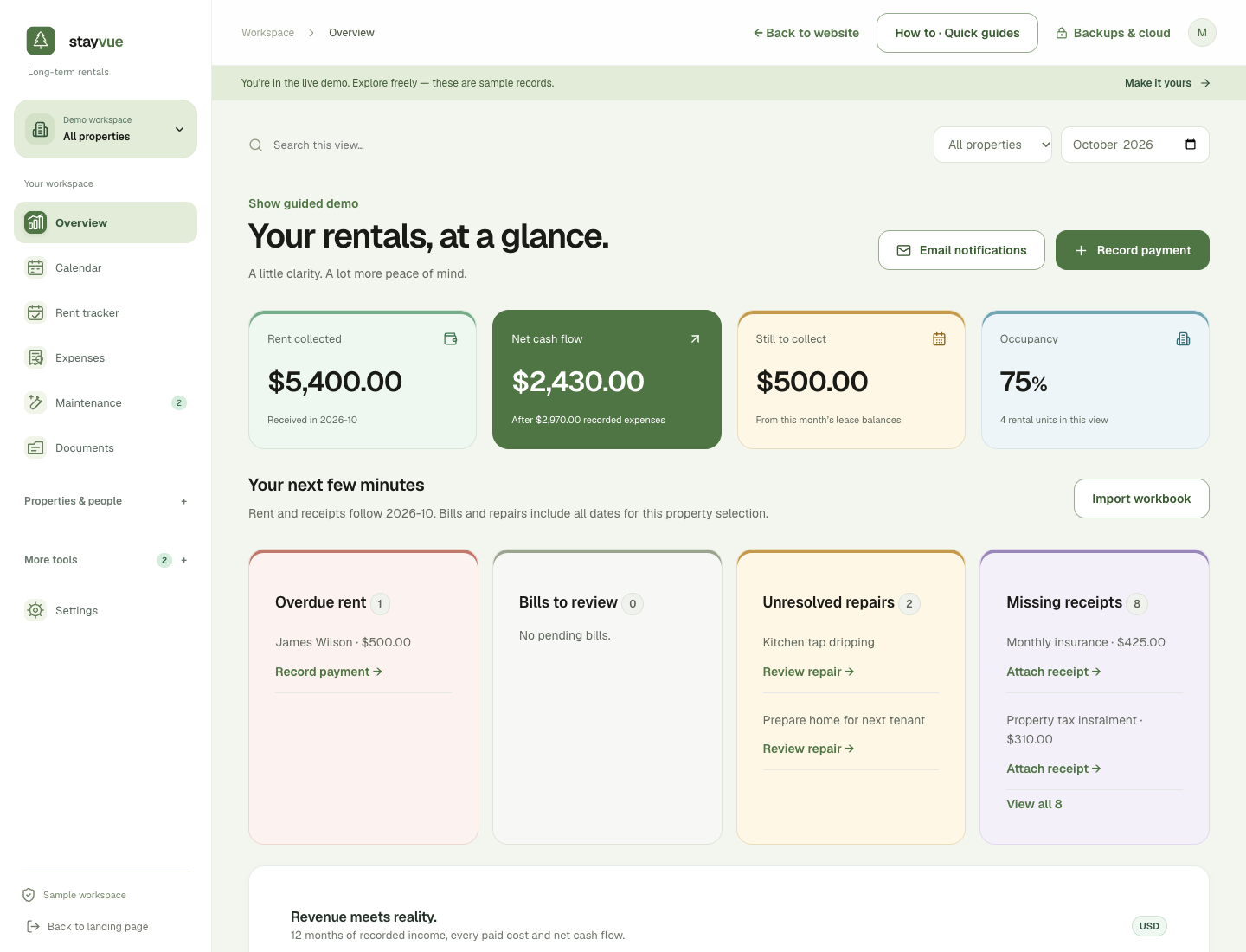
StayVue is for independent landlords who want rent balances, receipts, tenant details and scheduled work together—and are happy to keep recording payments themselves.
Track rent due, partial payments, and arrears without rebuilding formulas.
Find a trusted plumber, your cleaner, or a tenant’s details in seconds.
See cash flow, organize expenses, and export a clear record for your accountant.
An encrypted local workspace, portable backups, and no rental records on StayVue servers.
StayVue saves your work in this browser on your device. A backup is a separate, locked copy of your records and attachments. Keep that copy somewhere you can reach if this device is lost or stops working.
In Backups & cloud, download your encrypted .stayvue file. On supported desktop browsers, you can also choose a folder for automatic backups while the app is open.
Put the file in your own cloud storage or on a separate drive kept safely. Keep your recovery key separately, and use Check a backup to confirm your file opens.
Open StayVue on the replacement device, sign in and choose Restore. Select your backup. Older copies may need their original password or recovery key. Your records return as they were when it was saved.
The simple rule: keep a recent backup somewhere other than this computer. A file kept only on a lost device cannot help you recover it.
Clearing browser storage can remove the working copy on that browser. A backup saved outside the browser remains available. Restore it, then reconnect your backup folder.
StayVue does not keep a central copy of your rental records to restore for you. If every copy is lost, those records cannot be recreated by signing in again. Keep the password or recovery key needed to open your saved backup.
One payment. No monthly software subscription. Start free for 14 days, then choose the workspace that fits your rentals. No card required for the trial. Prices in USD.
For your first few rentals.
$39 onceRoom to grow, without the admin.
$69 onceFor owners who share the work.
$89 onceStart with Essentials and upgrade later. Pay only the difference between the current prices of your purchased plan and your new plan: Essentials → Portfolio $30, Portfolio → Together $20, or Essentials → Together $50. Applicable taxes are shown at checkout.
Tenant portals and staff workspaces support encrypted file exchange. Automatic customer-cloud delivery requires setup and live verification; no always-online hosting is included.
A private rental summary, chosen documents and tenant requests. See both sides in the live demo.
$9 one-time upgradeFor Essentials and Portfolio · included with Together
Room-by-room checklists, condition notes, photos, supporting PDFs and a downloadable inspection report.
Included with every planChecklists, photos and reports without another purchase.
Compare rent received with maintenance, mortgage payments, property taxes, management fees and other recorded costs. See cash flow across properties and keep receipts linked to the right expense.
Keep signed lease agreements, exact deposit balances, lease dates and reusable tenant email templates together. Prepare reminders, maintenance updates and other correspondence with a searchable communication history.
Import your workbook, organize property documents and export a detailed CSV for your accountant. Choose a one-time plan and keep control of your encrypted records and backups.
Every plan includes rent and expense tracking, receipt storage, inspections, workbook importing and accountant exports. No bank connection or tenant account is required for your own recordkeeping.
One payment licenses the purchased version. Its core tools have no recurring software fee. Help guides and standard product support are included; custom setup and spreadsheet cleanup are not included. Any future paid major upgrade will be optional. Continued availability of external cloud or email services depends on their providers.
Standard email support is included. Refund requests are reviewed case by case for legitimate issues, subject to your statutory rights. No unlimited lifetime personal support or guaranteed perpetual compatibility is promised.
Yes. Import CSV or Excel sheets, match their columns and compare totals and rent balances before saving. Keep your original workbook as an archive.
Your workspace is encrypted on your device. Set up automatic encrypted backups to a folder outside the browser on supported desktop browsers, or download a backup. Those files survive browser-storage clearing. Backups run while the app is open; restore a saved copy with your passphrase or recovery key.
A payment screen replaces the rental tools until you purchase a one-time plan. You can still download an encrypted backup or export your records.
It records payments and organizes expenses for review. It does not move money, file taxes, or automatically apply provincial or state tenancy rules.